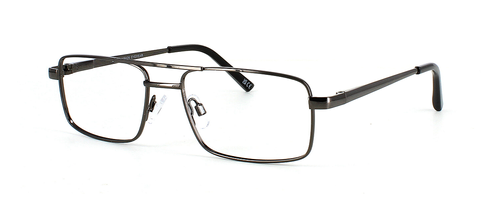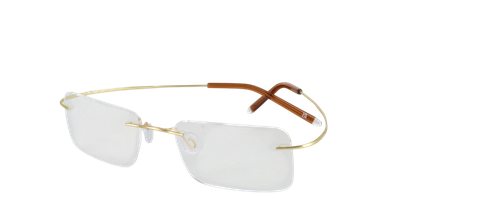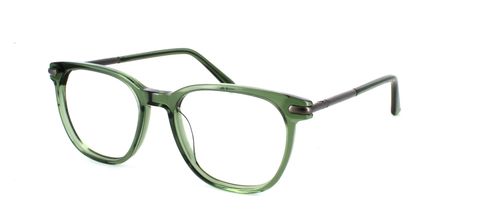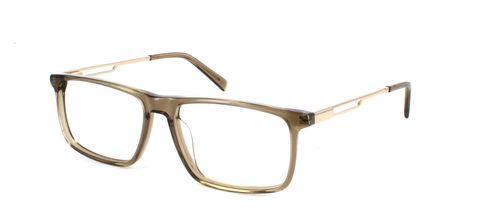
How to Stop Glasses Glare on Video Calls and in Photos: Lighting, Angles and Lenses

Jumping on a daily Zoom call, filming a presentation, or trying to get a decent headshot can all be spoiled by glare bouncing off your glasses.
The good news is that most of it is entirely fixable, and you don't need a professional studio setup to see a real difference.
Why Glasses Glare Happens in the First Place
Glasses glare on camera happens when a light source (a window, a ring light, an overhead bulb, or even your monitor) bounces off your lenses and straight into the camera. Video call lighting is the biggest offender, as most of us sit in rooms that weren't made with webcams in mind.
Most of us use whatever natural or artificial light is available to us, unlike a photographer who can control every light in the room. The angle between the light, your lenses, and the camera determines whether you get a clear shot or a pair of glowing white discs where your eyes should be.
The Simplest Lighting Fix
Putting your main light source in front of you rather than behind or above you is the most effective adjustment you can make.
Overhead lights are the most common culprits when it comes to glasses glare on camera. They sit at roughly 90 degrees to your face, creating a reflection that strikes the lens right at eye level and bounces forward into the webcam.
If you shift that light source so it's roughly at eye level and positioned in front of you, the reflection moves away from the camera rather than towards it.
Using Natural Light
In practice, this means facing a window during daylight hours. Natural light from a window directly in front of you is one of the simplest, most flattering video call lighting setups you can achieve for free.
If you're working in the evenings or in a room without windows, a basic desk lamp or a budget ring light placed at eye level directly in front of you will do the job.
If You're Using a Ring Light
There's a small tweak worth knowing about: tilting your ring light very slightly downward (just a few degrees) often eliminates the circular reflection that appears in the top half of your lenses.
That circular highlight is one of the most common forms of glasses glare on camera, and a small adjustment to the angle typically clears it up.
Camera Angle and Screen Brightness Matter Too
Once your lighting is sorted, the angle of your camera is the next thing to address. When a laptop sits flat on a desk, your webcam is looking slightly upward at you. The camera is more likely to catch reflections from ceiling lights and overhead lamps this way.
Raising your laptop or monitor so the camera sits at about eye level or just slightly above does two things: it creates a more flattering angle for your face, and it changes the geometry enough to significantly reduce lens reflections.
It's also important to consider the brightness of your monitor, especially during evening calls. A very bright screen in an otherwise dark room acts as a light source itself, and depending on the angle, it can create a subtle glow across your lenses. To balance it out, try lowering the screen's brightness a bit or increasing the amount of ambient light in the space.
A Quick Frame Adjustment That Often Works
Try lowering the arms of your glasses slightly downward so the lenses angle fractionally toward the floor. It changes the reflective angle just enough to clear the camera frame.
It's more of a workaround than a long-term fix, but it's helpful to know about when you need a quick solution.

Why Anti-Reflective Coating Is the Real Game-Changer
All of the above tips work around the problem. Anti-reflective (AR) coating, sometimes called anti-glare coating, addresses it at the source by changing how light interacts with the lens itself.
Standard lenses reflect somewhere between 8% and 16% of the light that hits them. Anti-reflective coating uses microscopic layers applied to the lens surface that reduce these reflections, allowing light to pass through rather than bounce back.
On a video call or in a photo, this means the camera sees your eyes rather than a bright spot, and the overall image appears noticeably clearer and more natural.
Anti-reflective coating significantly reduces glare from direct light sources like ring lights, windows, and overhead bulbs, as well as the hazy "veiling" effect you sometimes see when someone with glasses is photographed.
What it can't do is remove all reflections in every situation. If you're sitting directly in front of a very bright, uncovered window, you may still see some light, though it will be far less intense. AR coating works best when combined with sensible video call lighting. Together, they make glasses glare on camera a rare issue.
To order your next pair of glasses with an anti-reflective coating, simply choose a frame you like and then pick a Silver or above lens pack.
Choosing the Right Level of Coating
While the quality varies greatly, most contemporary prescription lenses come with some kind of AR coating as standard. Basic anti-reflection benefits are provided by entry-level coatings, whereas premium coatings add features like water and smudge resistance, which help maintain the anti-reflective performance over time.
A smudged lens scatters light in unpredictable ways regardless of coating, so durability matters. If you're spending a lot of time on camera, whether for work, teaching, or content creation, it's worth making sure your lenses have a quality AR coating rather than assuming they already do.
All of our coatings are applied to the lens surface, not just “sprayed on”, so you get clearer vision, less glare on camera, and a finish that’s made to last through everyday cleaning and wear.
You Don't Need New Frames to Get Anti-Reflective Lenses
One thing many people don't realise is that if you already have a pair of frames you like, you don't have to buy new glasses to benefit from better lenses. Our reglaze service lets you keep your existing frames and simply replace the lenses with new ones, including anti-reflective-coated lenses.
It's a fraction of the cost of buying new glasses. Reglazing is ideal if your prescription has changed recently, you have a pair of favourite glasses, or you bought your frames without anti-reflective lenses and now find yourself spending more time on video calls than you expected.
Whether you're looking for a fresh pair designed with camera performance in mind or simply want to get more from your frames, it's the perfect way to solve the glare problem for good.
Final Thoughts
Glasses glare on video calls and in pictures is typically caused by lighting and angle issues rather than a “bad camera” problem.
Start with the quickest fixes: put your main light in front of you at eye level, raise your webcam slightly, and reduce harsh overhead lighting. If you’re using a ring light, a small downward tilt often eliminates the circular reflection immediately.
For the most reliable long-term improvement, choose lenses with anti-reflective coating. It minimises the reflections that webcams and camera flashes pick up, so your eyes look clearer, and your photos look more natural.
Ready for a glare-free upgrade?
- Buying new glasses: Select your frames and add anti-reflective coating when you choose your lens package at checkout.
- Keeping your current frames: Use our reglaze service to replace your lenses with AR-coated lenses - no new frames needed.
FAQs
Does anti-reflective coating actually work for Zoom calls?
Yes. An anti-reflective coating reduces reflections that webcams pick up, so your eyes show more clearly, especially under ring lights, lamps, and overhead lighting.
Why do my glasses glare on camera but not in real life?
Cameras “see” reflections more intensely because they’re pointed directly at your lenses and auto-adjust exposure for bright spots, making glare appear whiter and more noticeable than it feels in person.
Can I get anti-reflective coating added to my existing glasses?
Yes, you can keep your frames and replace the lenses with new AR-coated ones through our reglazing service.
What is the best lighting setup for glasses wearers on Zoom?
Put a soft light source in front of you at (or slightly above) eye level, not overhead or behind. Face a window during the day, or use a lamp or ring light that is positioned slightly higher than your eyes, angled down a touch.
How do I stop glasses glare in photos?
Move the light off-axis: raise the light a little and angle it down, or turn your head slightly so reflections bounce away from the camera. Steer clear of overhead light, and use AR-coated lenses for the biggest improvement.